

01 · START
From anything
One of 23,040 templates in every size, your own SVG from Illustrator, or a photo. Or describe it to the AI you already use.
ILO ANIMATION · ONLINE AND IN ILLUSTRATOR
Upload an SVG, an Illustrator .ai or a PNG, or start from one of 23,040 templates. Press Magic and every element gets its own move. Export Lottie, animated SVG, GIF or MP4. Right in your browser, and inside Adobe Illustrator too. Plus Ilo Raw and Color Tools for photos and colour.
Nothing to install. Free for 5 days, and your projects wait for you in a free ilo account. Open it online →
ilo is on Product Hunt. Tell us what you think →
↑ a real animation, made and exported in Ilo Animation online. move your mouse to look around. ↑
01 — ILO ANIMATION
01 · START
One of 23,040 templates in every size, your own SVG from Illustrator, or a photo. Or describe it to the AI you already use.
02 · MAGIC
Magic reads the design and gives each element its own move: titles mask in, objects drop and bounce, sparkles pulse. Press again for another take.
03 · EXPORT
Change the words, colours and moves on a real timeline, then export Lottie, animated SVG, GIF, MP4 or WebM.
02 — MADE WITH ILO ANIMATION
Real exports from Ilo Animation, playing as MP4. The shapes, 3D objects and characters come from its 40,431-shape library; the type is set from Google Fonts. Make one in your browser →
03 — IN YOUR BROWSER · NOTHING TO INSTALL

Instagram posts, Stories, YouTube thumbnails, presentations, covers, posters and logos. 10,752 of them illustrated from the shapes library.
Every template knows its colour roles. Pick one of 32 palettes, press Shuffle, or change one colour and the whole design follows.
Drop in a photo or a PNG and it becomes part of the design, ready to animate with everything else.
Connect ChatGPT, Claude, Gemini or a model on your computer and describe a design. It is built and animated. Your key stays in your browser.
ilo is an MCP server: add https://www.ilotools.com/mcp to Claude, ChatGPT or Cursor, ask for a poster, and the answer opens here, animated.
Sign in with a free ilo account and Save keeps the project there. Open it again on any computer, right where you stopped.
04 — ILO ANIMATION · INSIDE ILLUSTRATOR
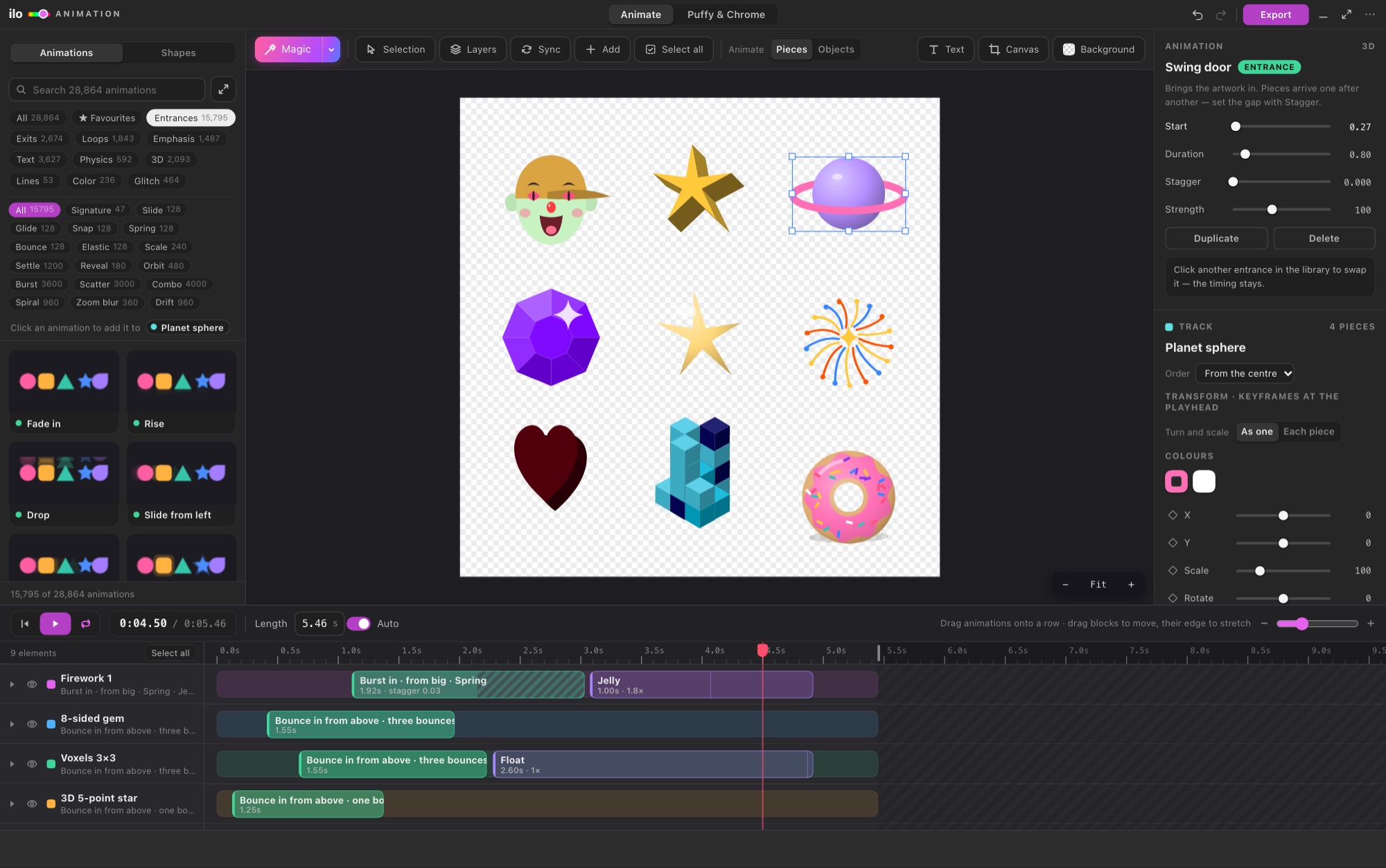
Open a document and your layers are already in the timeline. Pick from 28,864 animations built on real motion-design curves (mask reveals, springs, overshoot), refine them with blocks and keyframes, and export Lottie, animated SVG, GIF or video. Or press Magic and the whole design is choreographed in one click. Add any of 40,431 shapes (3D, characters, nature, UI) and 6,832 Puffy & Chrome looks for your type.
05 — THE LINEUP
 FOR PHOTOS · OWN WINDOW
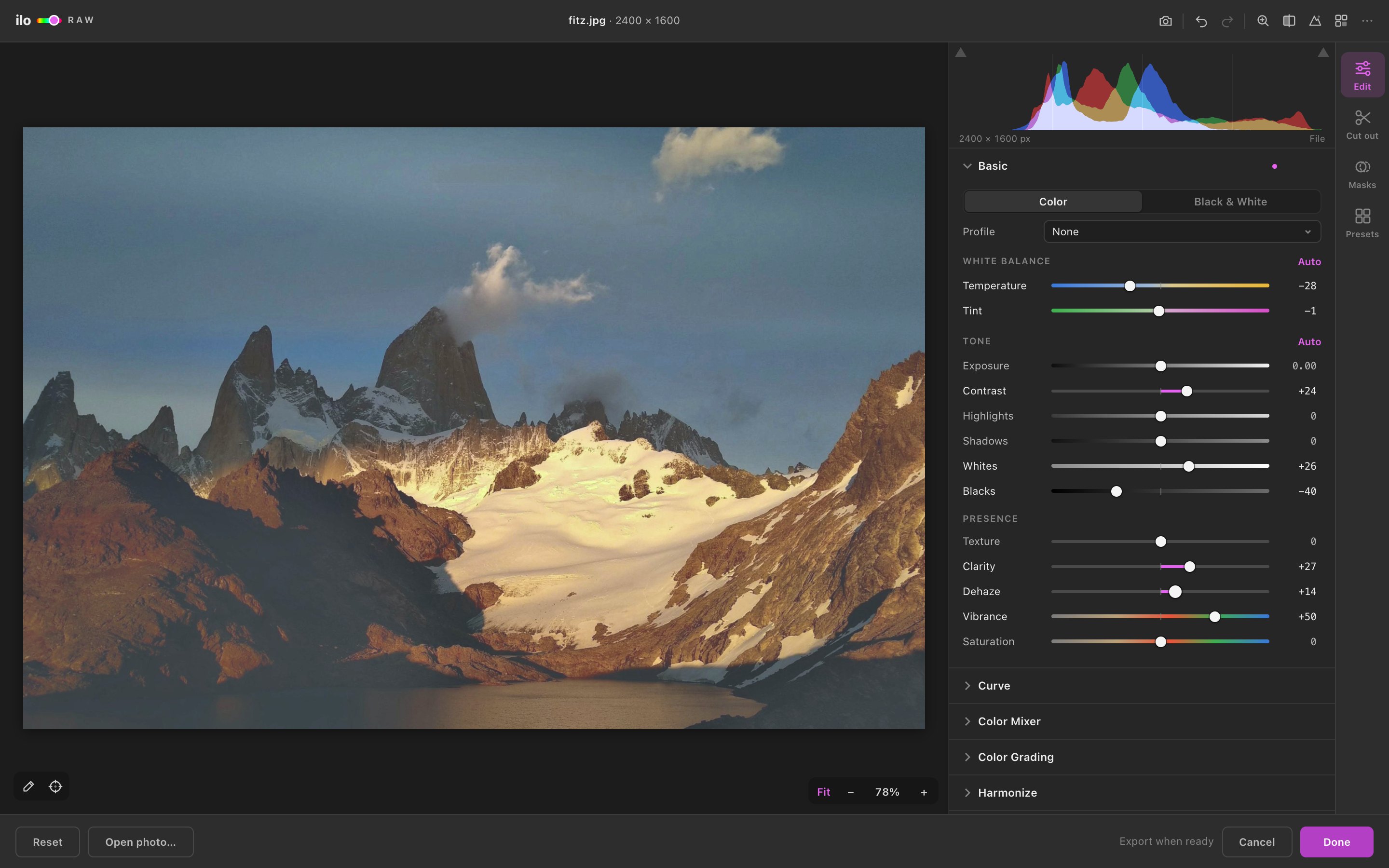
A full Camera Raw developer for placed photos and RAW files — masks, cut out, color grading and spot duotones.
 FOR VECTORS · DOCKED PANEL
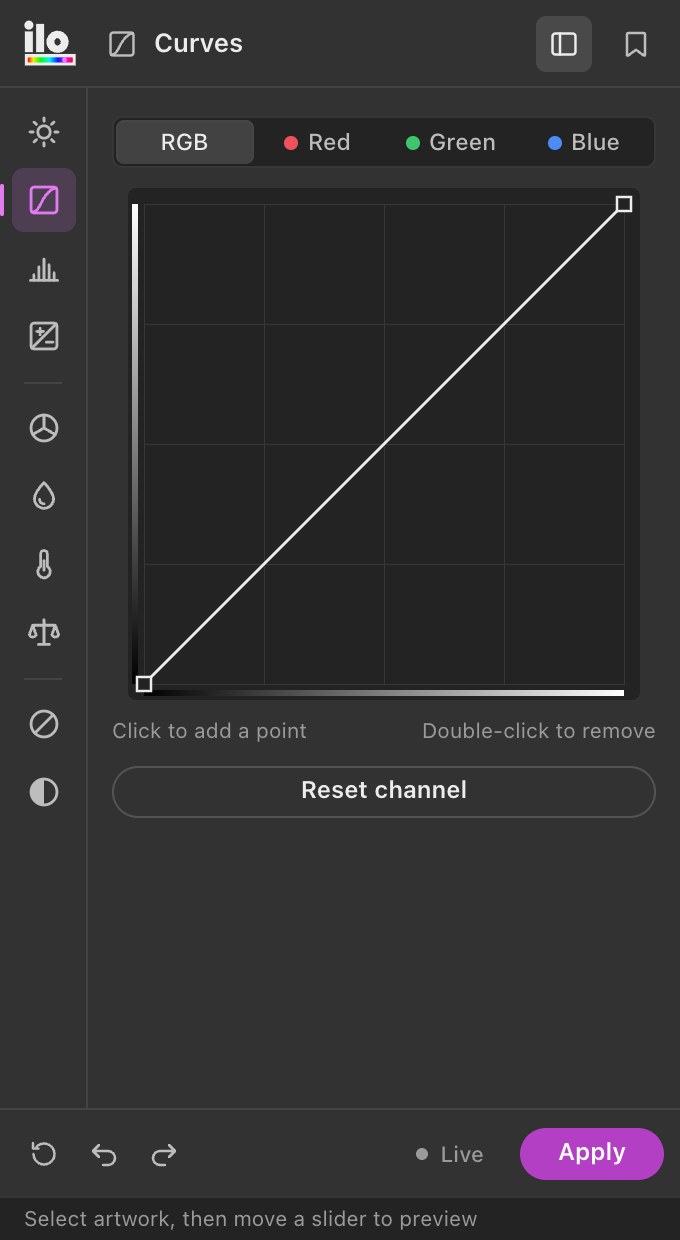
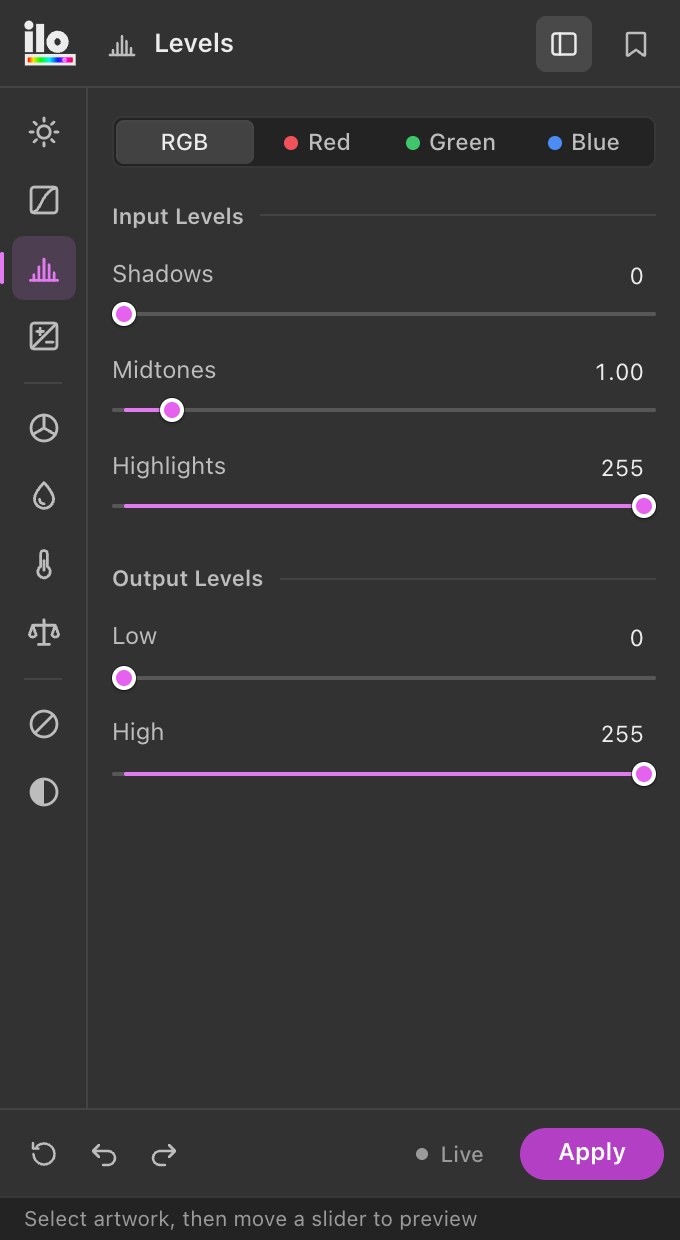
The adjustments you know from Photoshop — applied to the fills, strokes, gradients and text of your vector artwork.

 FOR MOTION · NEW
Animate your Illustrator art right inside Illustrator: one-click Magic, 28,864 professional animations, 40,431 shapes, a timeline with keyframes, Lottie export.
 FOR PORTRAITS · NEW
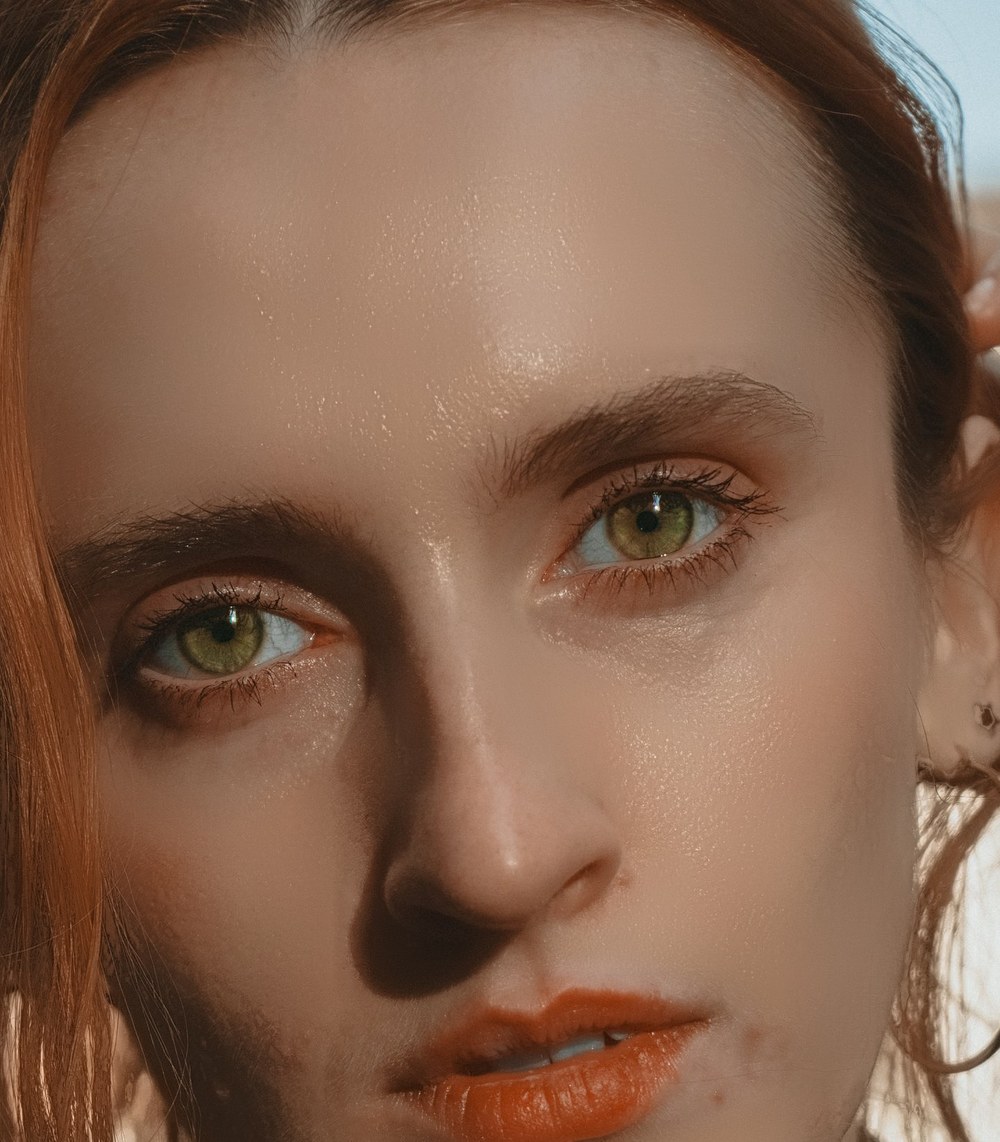
One-click portrait retouching for the photos in your layout — blemishes, skin, red eye, eyes and teeth.
Get two or all four in one checkout and save 25% — see the bundles
06 — ILO RAW · THE EDITOR
Live histogram & clipping
Local tone mapping · no halos
Color grading wheels
07 — ILO RAW · FROM FLAT TO FINISHED

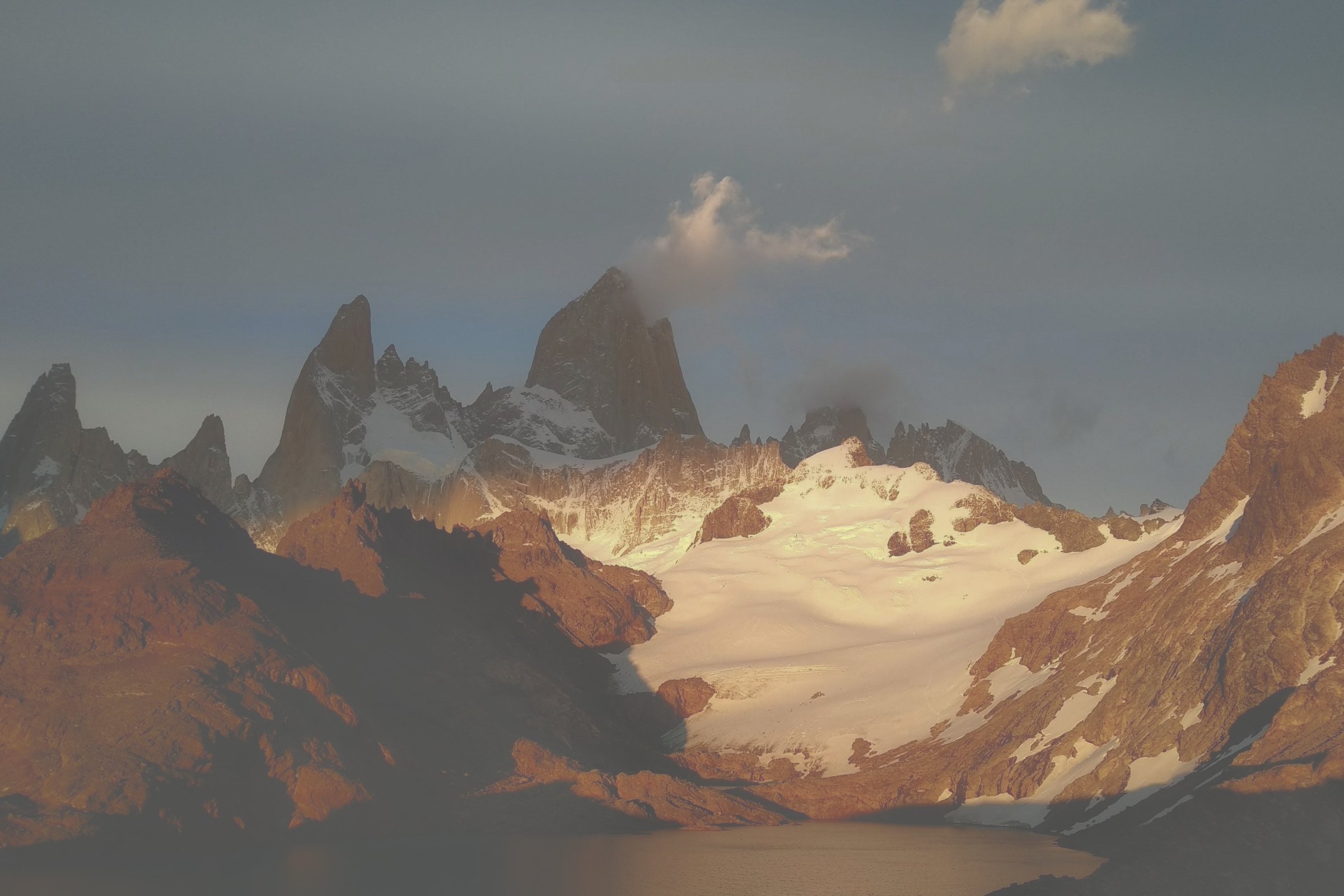
08 — ILO RAW · BUILT FOR PEOPLE WHO DESIGN
MASKS
Any shape, text or compound path you select in Illustrator becomes a local adjustment — exact to the anchor point. Plus linear, radial, brush, luminance, color range, and AI Subject & Sky.

CUT OUT

Ilo Raw quietly asks Photoshop for its matte and brings it back as real transparency. Export PNG in one click.
RAW
Camera preview in a blink, full demosaic in the background, re-editable forever.
HARMONIZE
Pull every photo toward the document swatches — or the colors of the artwork you selected.
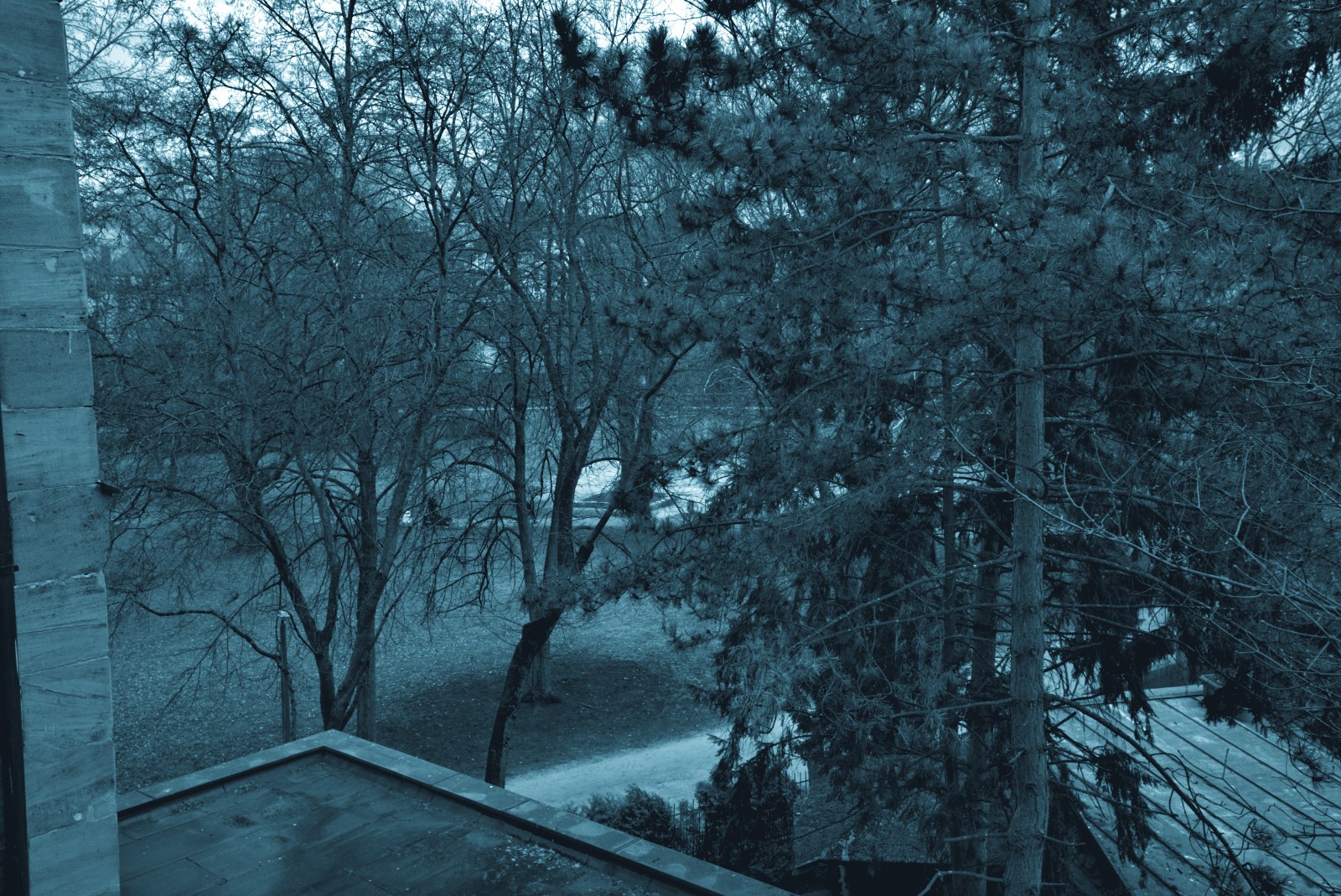
Two grayscale plates colorized with your spot swatches, set to overprint. Straight to screen print or offset.
LOOKS
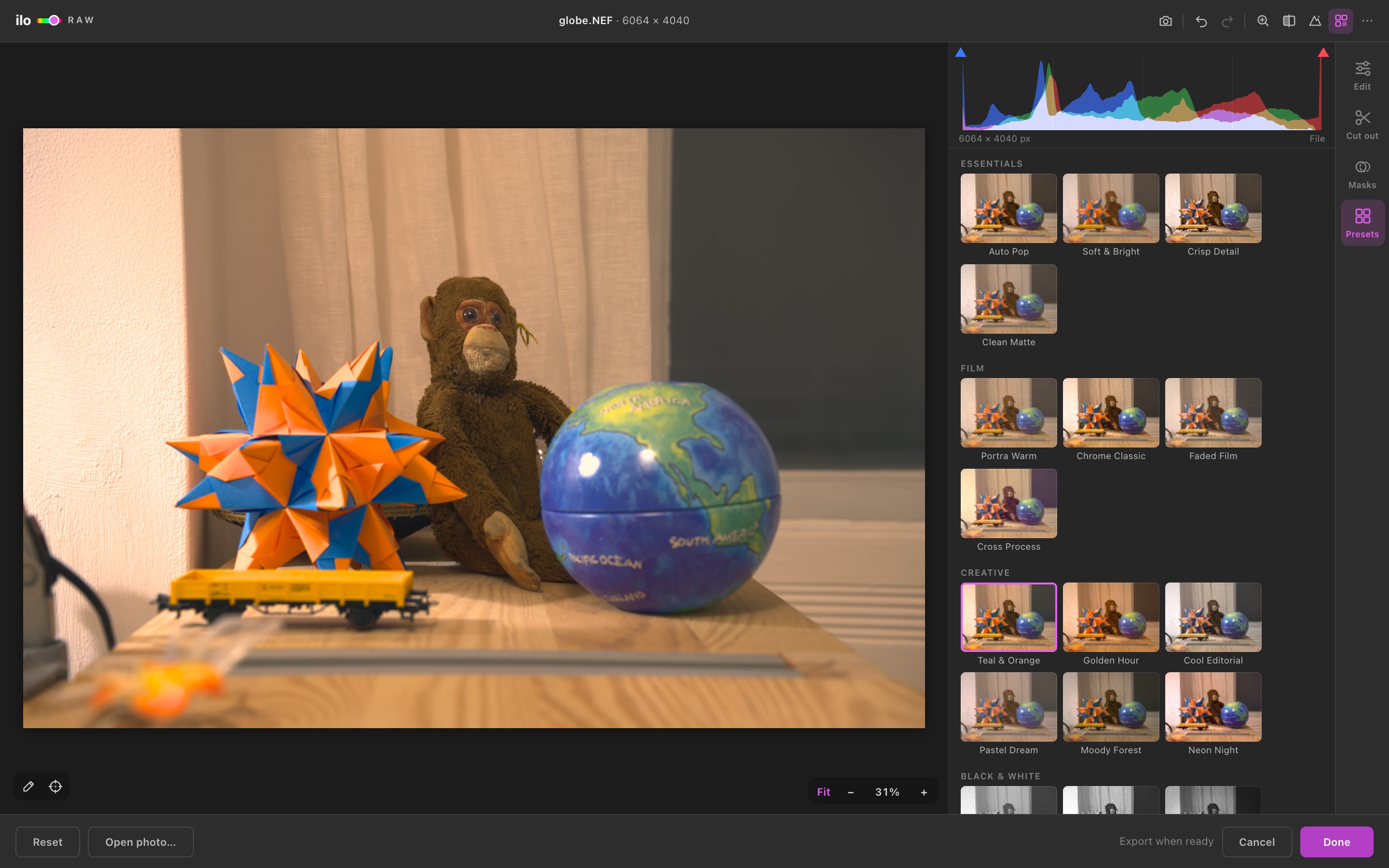
Nineteen looks — film, creative, black & white — previewed as thumbnails of the image you’re editing. Hover to try, click to keep, save your own, export any look as a .cube LUT.
VECTORS TOO
Select photos and artwork together. Fills, strokes, gradients and every letter of your text take the same look — live, and always reversible.
NON-DESTRUCTIVE
Originals and settings travel with the artwork. Select it next week and every slider is exactly where you left it.
09 — ILO COLOR TOOLS
Illustrator can recolor artwork, but it has no Curves, no Levels, no Exposure. Color Tools adds them as a docked panel — and applies them to real vector color, live, while you drag.
← a working replica of the panel. drag the sliders — every fill, stroke, gradient stop and letter follows →
09 · B — EVERY TOOL, ONE CLICK AWAY
01 / 10
10 — WHY IT BELONGS IN ILLUSTRATOR
Shape the tone of an illustration the way photographers do — RGB and per-channel curves, input and output levels with gamma. Illustrator has nothing like it.
Fills, strokes, every stop of a gradient and each character of your text — in groups, compound paths and clipping masks. RGB and CMYK documents.
Select, move a slider and watch the artwork change. Apply to keep it, Reset to get the exact original colors back, ⌘Z works as usual.
No rasterizing, no effects to expand. Color Tools writes new color values into your objects — the file is as editable as before.
Recolor Artwork works color by color. Color Tools moves the whole selection in one gesture — a full icon set, a pattern, an entire poster.
Converting to CMYK usually dulls colours and shifts hues. Print Match picks, for every colour, the inks that print closest to what you designed — blues stay blue, oranges stay orange.
The best 1–3 inks from the official Riso library for your palette, every colour mixed from overprinted tints, one spot plate per ink — straight from your vectors.
Brightness/Contrast, Curves, Levels, Exposure, Hue/Saturation, Shift to Color, Temperature/Tint, Color Balance, Invert and Desaturate — plus your saved presets.
ILLUSTRATOR ALONE VS. WITH COLOR TOOLS
11 — ILO RETOUCH · NEW
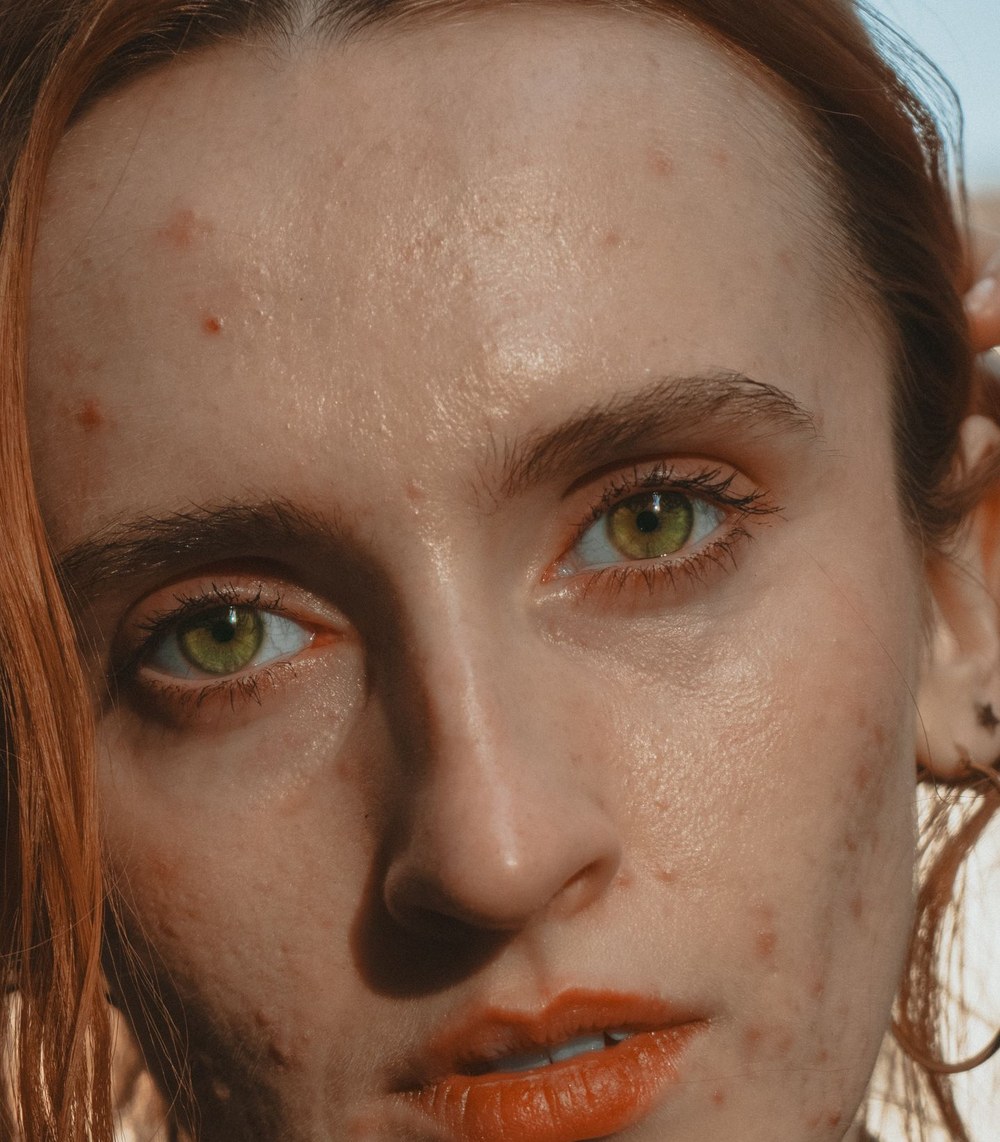
Select the photo, press Auto retouch. Ilo Retouch finds the face, eyes, brows and mouth, heals blemishes from matching skin, smooths while keeping texture, evens redness, fixes red eyes and brightens eyes and teeth. Every step stays editable.
12 — BUY
Ilo Animation $19 a month or $199 a year · Ilo Resize $19 a month or $199 a year · Ilo Raw $9 a month or $49 a year · Color Tools $7 a month or $29 a year · Retouch $7 a month or $35 a year · prices in USD
13 — QUESTIONS
If you work with photos — placed images, RAW files, cut-outs — get Ilo Raw. If you recolor and tone vector artwork, get Color Tools. Ilo Raw can also grade vectors together with photos, but Color Tools has the dedicated Curves, Levels and Color Balance for vector art. If you retouch portraits in your layouts, add Ilo Retouch; for puffy, chrome or animated lettering, Ilo Animation. Many designers take more than one — bundles save up to 25%.
It retouches portraits on your artboard: finds faces, removes blemishes, smooths skin while keeping texture, evens redness, fixes red eyes and brightens eyes and teeth — in one click, then every slider is yours. It runs entirely on your computer.
It animates the artwork you made in Illustrator, inside Illustrator. Your layers come in by themselves, you pick from 28,864 animations — mask reveals, springs, loops, 3D flips, text choreography — and fine-tune them on a timeline with keyframes, or press Magic and it animates the whole design for you, element by element. Export Lottie for websites and apps, animated SVG, GIF or video. It also includes 40,431 shapes (3D, characters, nature, interface, celebration) and 6,832 Puffy & Chrome looks for vector type.
Yes. Ilo Animation runs in your browser too: 23,040 templates in every size, 1,900+ Google Fonts, colours in one click, Magic, and export to Lottie, animated SVG, GIF, MP4 or WebM. Designing is free; exporting uses the same 5-day free trial or license as the Illustrator version.
Yes — the one you already have. In the online app, Connect your AI takes a key from ChatGPT (OpenAI), Claude (Anthropic), Gemini, OpenRouter, Groq, Mistral or DeepSeek, or a model running on your computer (Ollama, LM Studio). Describe a design and it is built from the templates and animated. ilo adds no credits and no costs. Assistants that speak MCP — Claude, ChatGPT, Cursor — can also design with ilo through https://www.ilotools.com/mcp.
Your key stays in your browser and is sent only to your AI provider, never to ilo’s servers. Choose “Remember on this device” to keep it, or leave it off and it is gone when you close the tab. Disconnect removes it at once.
Yes — Print Match in Color Tools 1.2 converts RGB artwork to CMYK by choosing, for every colour, the inks that print closest to what you see, within your ink limit and with greys in black only.
No. All four tools run entirely inside Illustrator. If Photoshop is installed, Ilo Raw’s Cut Out can use Photoshop’s Remove Background for the very best edges — it handles that for you in the background.
Illustrator 2023 and newer on macOS and Windows. Ilo Raw and Ilo Retouch open in their own windows from Window › Extensions; Color Tools docks like any Illustrator panel from Window › Extensions › Ilo Color Tools.
No. It changes the actual color values of your paths, strokes, gradient stops and text. The result is still normal, editable vector artwork — no effects to expand, nothing flattened.
Never. Linked images stay linked to a developed copy, embedded images keep their original safely, and every setting can be reopened and changed later.
No. Developing, masks, retouching, face detection and the AI subject detection all run on your computer. The only thing that goes online is the license check.
Yes — one key activates two computers. Move it anytime from the menu inside the app.